User Experience Basics: A Friendly Guide to Understanding UX
Introduction
When it comes to websites, apps, or digital products, user experience basics are essential. UX, short for User Experience, is all about how people feel when they interact with a product. A good UX makes a website easy, enjoyable, and effective. A bad UX can frustrate users and make them leave.
Understanding user experience basics is important for designers, developers, business owners, and even content creators. It’s not just about how a product looks—it’s about how it works and how it makes users feel. Simple features, clear navigation, and fast loading times all contribute to UX.
In this guide, we will break down user experience basics in simple language. We’ll cover key principles, design strategies, usability tips, and common mistakes to avoid. Whether you are a beginner or someone looking to refresh your knowledge, this guide will help you understand UX clearly.
What Is User Experience (UX)?
User experience is the overall feeling someone gets when using a product, website, or app. It’s about how easy, satisfying, and enjoyable the experience is. UX is more than just design—it includes functionality, speed, content, and accessibility.
When learning user experience basics, it’s important to know that UX focuses on the user’s needs. Designers and developers consider how people think, what they expect, and how they behave. A website might look beautiful, but if it’s confusing, the UX is poor.
In short, UX is about creating products that solve problems efficiently and leave users happy. Every button, link, and feature matters in crafting a positive experience.
Why UX Is Important
Good UX can make or break a product. Users are more likely to return to a website or app if it’s easy to use. On the other hand, frustrating experiences can drive them away forever.
Learning user experience basics helps businesses save money. Fixing problems early in design is cheaper than fixing them after launch. It also improves brand loyalty. People trust brands that make their lives easier.
In addition, UX affects accessibility. A good design ensures that all users, including those with disabilities, can navigate products comfortably. UX is not optional—it’s essential for success in today’s digital world.
Key Principles of UX Design
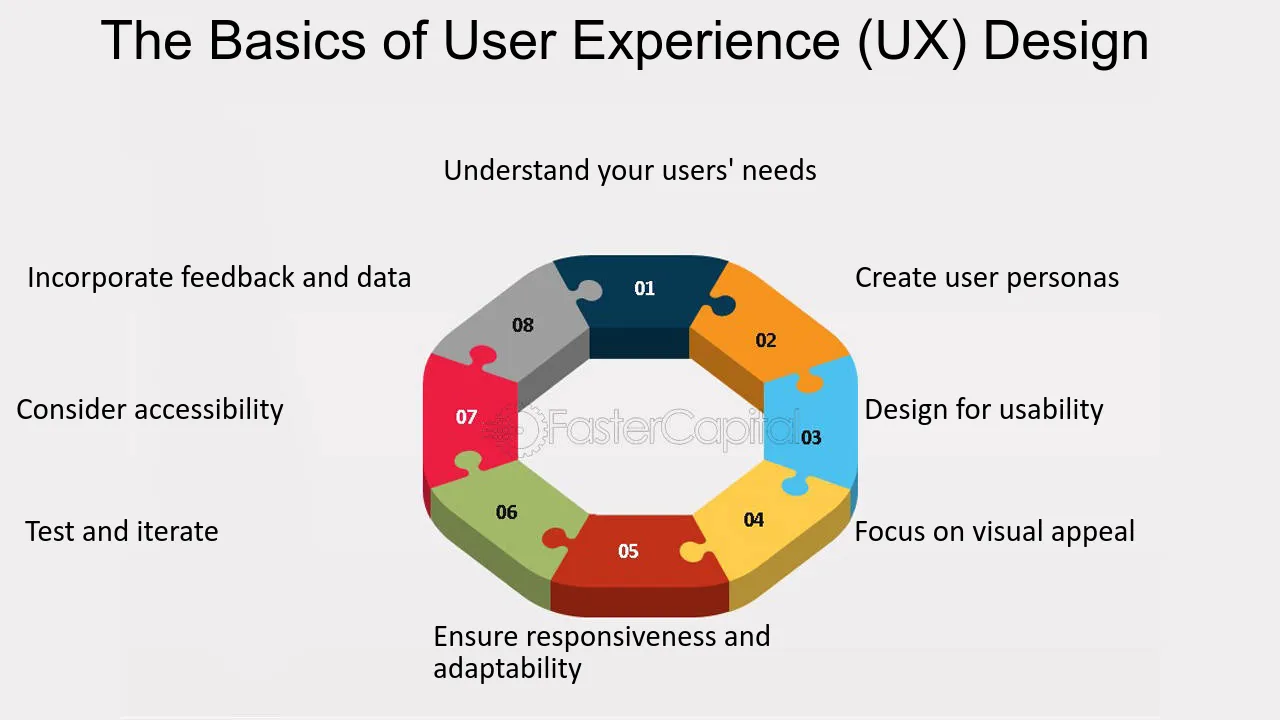
When studying user experience basics, certain principles are crucial:
-
Usability – Can users easily complete tasks?
-
Accessibility – Is the product usable for everyone, including those with disabilities?
-
Consistency – Does the design maintain a uniform style and behavior?
-
Feedback – Do users receive clear responses to their actions?
-
Simplicity – Are features straightforward without unnecessary clutter?
Following these principles ensures that users feel comfortable and confident while interacting with the product.
Understanding User Needs
User-centered design is at the heart of UX. To create a good experience, designers must understand what users want and need.
Methods like surveys, interviews, and usability testing help gather insights. Observing users in real situations shows where they struggle. This is part of the user experience basics approach—designing with empathy.
When designers truly understand their audience, they can create products that feel natural, efficient, and enjoyable. Ignoring user needs often leads to confusion and frustration.

The Role of Information Architecture
Information architecture (IA) organizes content so users can find it easily. It includes menus, navigation, and content hierarchy.
Good IA reduces cognitive load. Users don’t have to think hard to locate what they want. Poor IA can make even simple tasks frustrating.
In user experience basics, IA is fundamental. It ensures that websites, apps, and digital platforms are intuitive and user-friendly.
Wireframes and Prototypes
Wireframes and prototypes are tools designers use to plan UX. Wireframes are simple sketches showing layout and structure. Prototypes are interactive models showing how a product works.
These tools allow teams to test ideas before building the final product. They save time and prevent costly mistakes.
Learning user experience basics includes understanding these tools because they form the foundation of a well-thought-out design.
Visual Design and UX
Visual design is more than beauty. Colors, typography, spacing, and imagery affect usability. For example, a cluttered page can confuse users, while clear headings guide them naturally.
Consistency in visuals also builds trust. Users feel confident when interfaces follow familiar patterns.
Good visual design supports user experience basics by enhancing clarity, focus, and engagement. It’s not just aesthetics—it’s communication.
Interaction Design
Interaction design focuses on how users engage with a product. Buttons, forms, sliders, and gestures all count.
Effective interaction design makes actions simple and intuitive. For example, a “submit” button should clearly indicate its purpose, and error messages should guide users to fix mistakes.
Mastering user experience basics requires understanding that every interaction influences satisfaction and usability.
Usability Testing
Testing is essential in UX. Observing real users helps identify problems.
Usability tests show where users get stuck, confused, or frustrated. Even small issues can affect the overall experience.
Learning user experience basics involves testing early and often. Iteration—making changes based on feedback—is key to improving UX continuously.
Mobile UX Considerations
More users access products via mobile devices than ever before. Mobile UX requires different considerations than desktop UX.
Key factors include responsive design, touch-friendly interfaces, and quick load times. Buttons must be easy to tap, and text must remain readable.
Understanding user experience basics means designing for all devices to ensure smooth, consistent experiences.
Common UX Mistakes to Avoid
-
Overloading users with too much information.
-
Using unclear navigation or labels.
-
Ignoring mobile users.
-
Not testing with real users.
-
Failing to provide feedback for user actions.
Avoiding these mistakes ensures smoother, more enjoyable interactions.
FAQs About User Experience Basics
1. What is UX?
UX (User Experience) is how people feel when using a product or service.
2. Why is UX important?
Good UX increases satisfaction, loyalty, and business success.
3. What are the key UX principles?
Usability, accessibility, simplicity, consistency, and clear feedback are essential.
4. How do you test UX?
Use surveys, interviews, and usability testing to gather real user feedback.
5. What tools are used in UX design?
Wireframes, prototypes, and design software like Figma or Adobe XD.
6. Does UX include mobile design?
Yes, mobile UX is crucial for responsive, touch-friendly experiences.
Conclusion
Understanding user experience basics is essential for anyone creating digital products. It’s about empathy, simplicity, and functionality.
UX improves satisfaction, accessibility, and engagement while reducing frustration. Designers, developers, and content creators benefit from mastering these concepts.
By focusing on usability, testing, and clear interaction, you can create products that delight users. Applying user experience basics ensures your digital experience is effective, enjoyable, and successful.